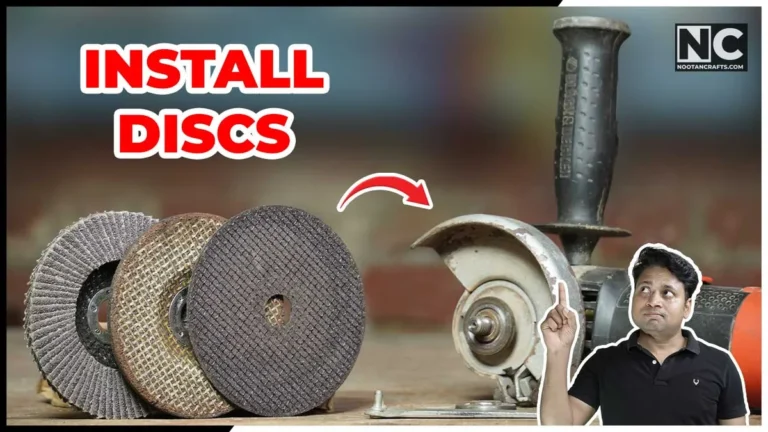
Lock the spindle, seat the disc on the inner flange, thread the outer flange nut by hand, then tighten it with the pin wrench — that’s the whole process. Almost every problem people have with this comes down to one detail: which face of the flange nut points at the disc, and that differs between a cutting disc and a grinding disc. I had the same three questions when I bought my first grinder — which way the disc faces, how tight is tight enough, and why a disc stayed loose no matter how hard I tightened it — so this covers all three, plus the two locking mechanisms you’ll actually run into.
Unplug it, or pull the battery — this isn’t optional
An angle grinder spins fast enough to cause a serious injury within a second of an accidental start-up. Changing a disc means a hand near the spindle and a wrench engaged on the nut — the worst possible moment for the tool to fire up on its own. Disconnect power before you change anything, every time, even for a “quick” swap.
What’s Inside!
How to Put a Disc on an Angle Grinder — Video
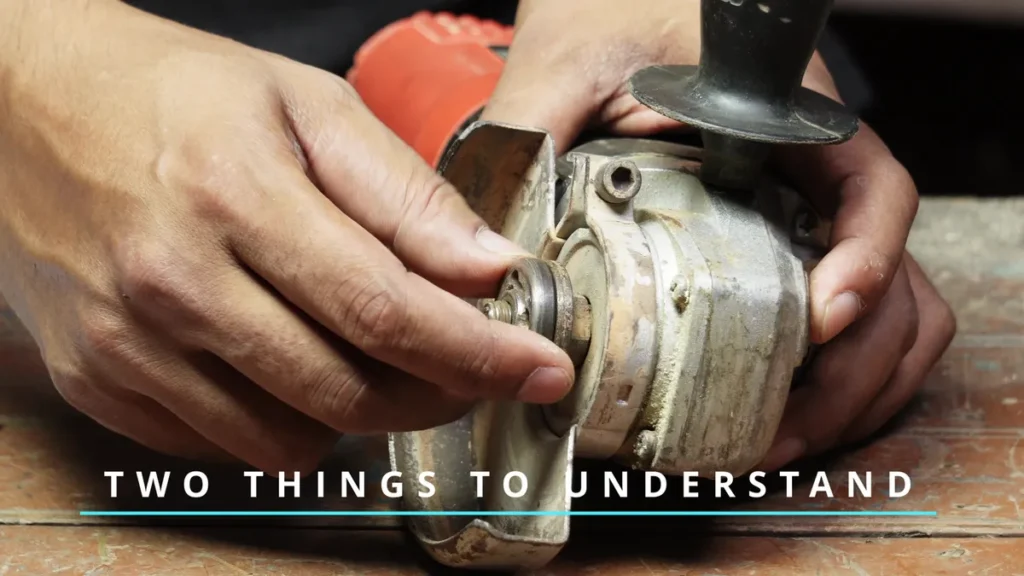
The process comes down to two things: the locking mechanism and the hardware. Lock the spindle so it can’t rotate, then mount the disc and tighten the nut. The sections below just cover how to do each part correctly for your specific grinder.
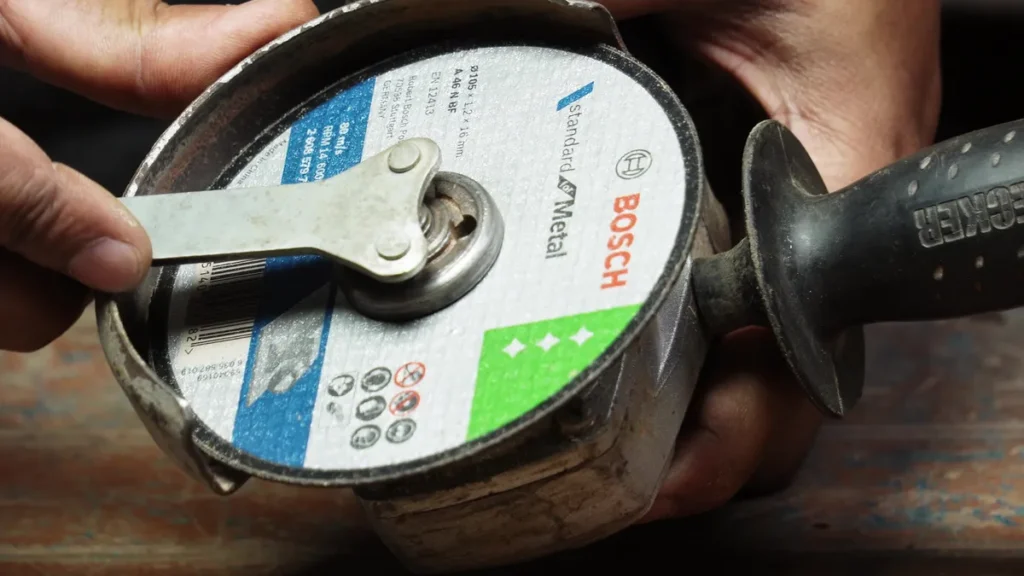
- The pin wrench that came with the grinder — the two-pin type, not an adjustable
- Both flanges, inner and outer, each the right way round
- The disc, rated at or above your grinder’s speed
- Safety glasses and a face shield, gloves, and the guard fitted
Locking Mechanisms — Which Type Does Your Grinder Have?
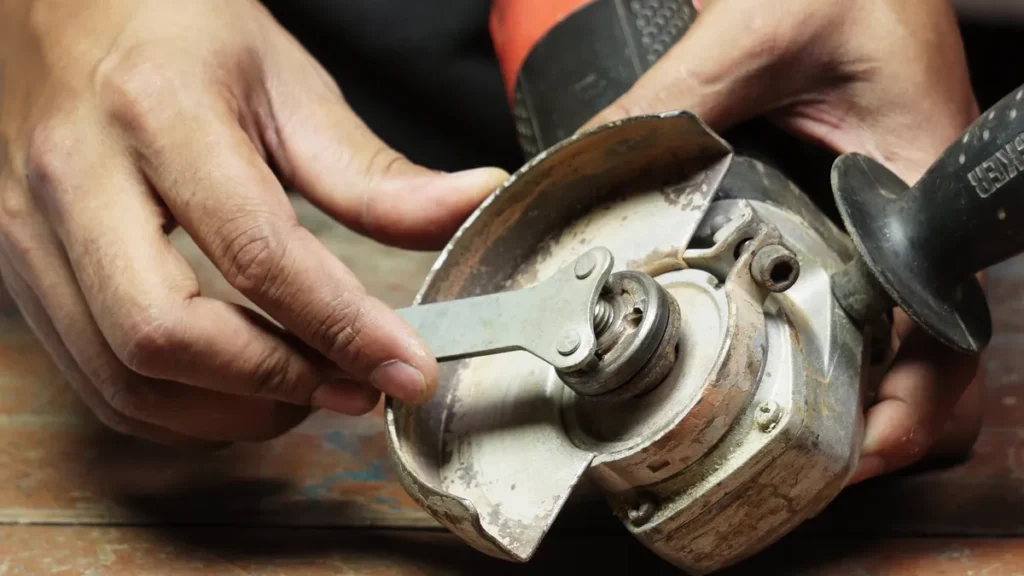
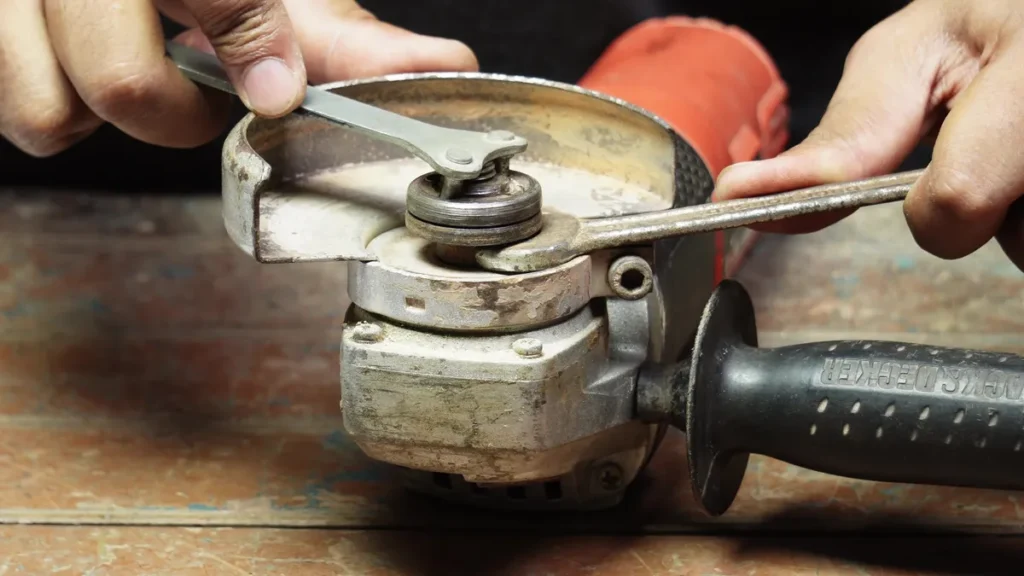
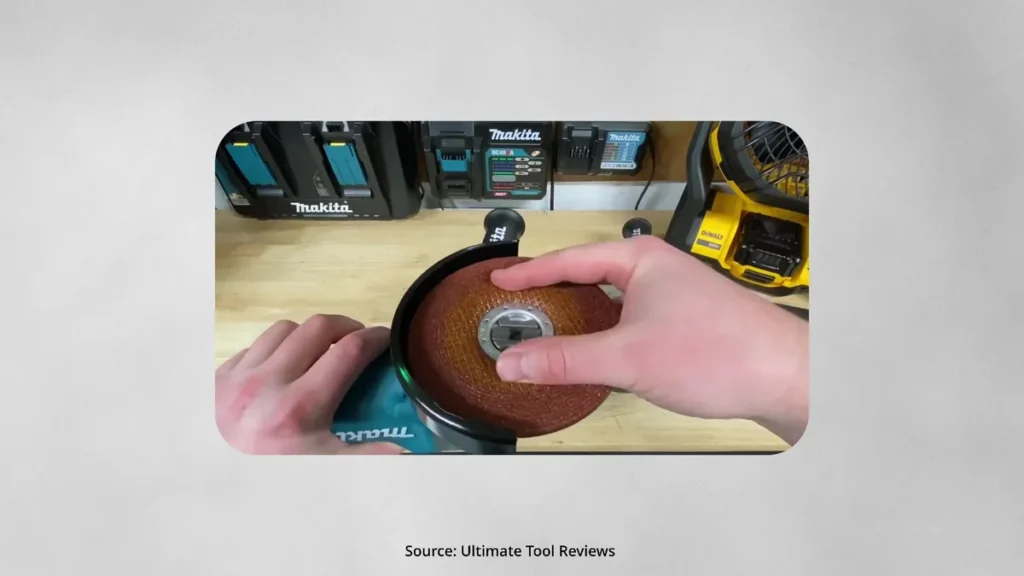
Most grinders use one of three locking systems:
- Spindle lock button — the most common. Press and hold it to lock the spindle, then tighten the nut with the pin wrench.
- Two-wrench method — found on older models. One wrench holds the spindle; the other tightens the nut.
- Quick-release lever — found on some higher-end grinders. No nut at all — press the lever and swap the disc directly.
Understanding the Hardware
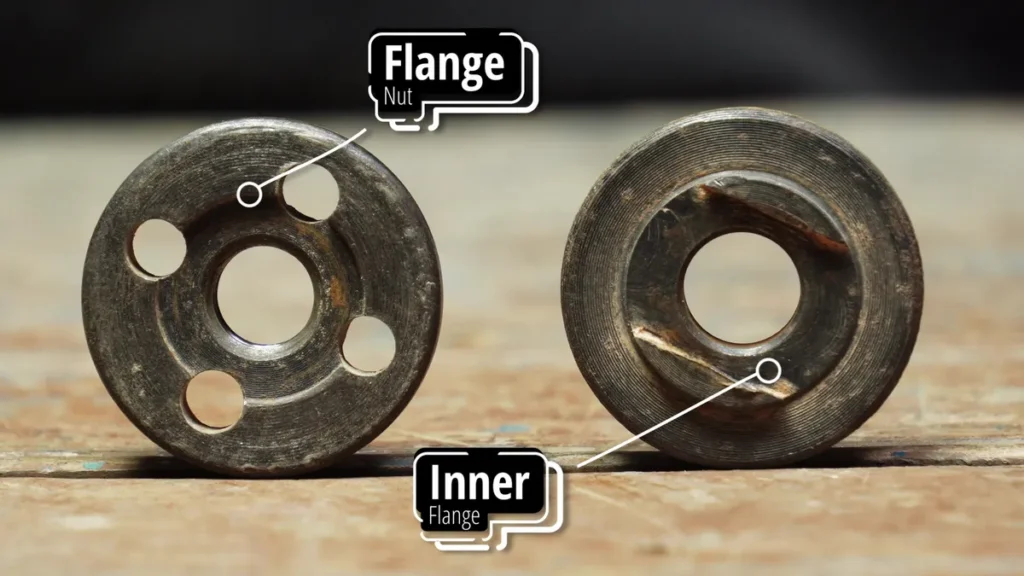
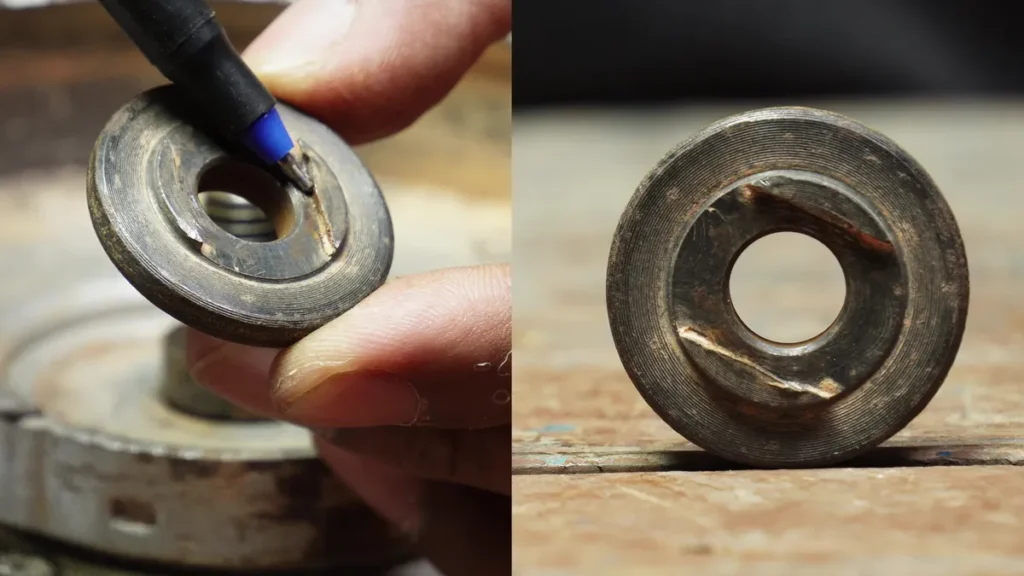
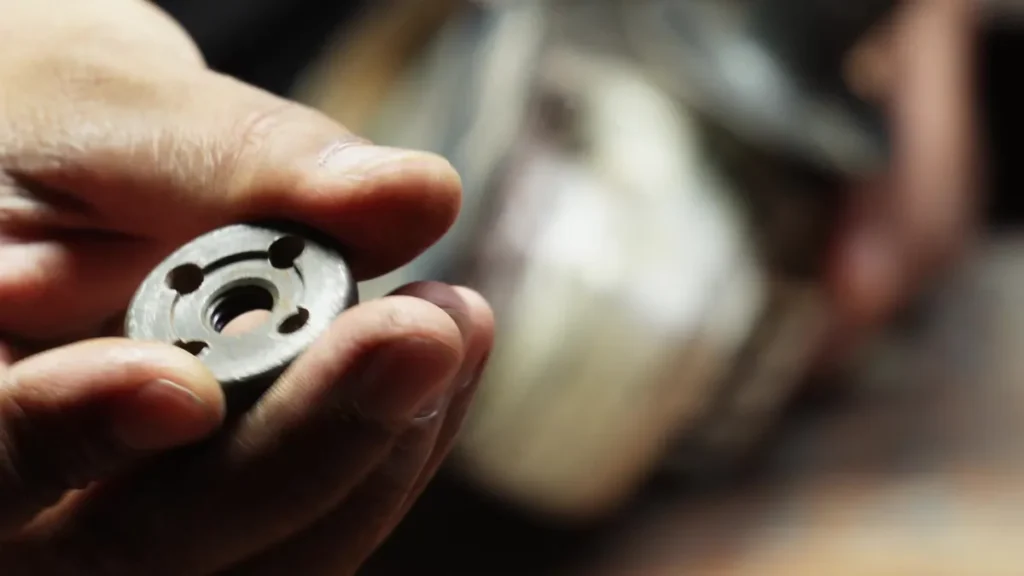
Your grinder comes with two pieces — an inner flange and a flange nut. It’s worth understanding what each one does before you start.
| Part | What it does | Key detail |
|---|---|---|
| Inner flange | Sits on the spindle, supports the disc from below | Grooved side faces down onto the spindle; raised hub faces up into the disc’s center hole |
| Flange nut | Clamps the disc from above | Which face goes down depends on the disc type — covered below |
Two checks on the hardware take a few seconds each and are the difference between a disc that runs true and one that comes apart. Both are written into the federal rule for portable grinders, 29 CFR 1910.243(c), which is the standard tool manufacturers design to.
Check the speed marked on the disc against your grinder’s speed. Every bonded disc carries a maximum operating speed printed on its label, and the rule is that the grinder’s spindle speed must not exceed it. A 4½-inch grinder typically spins around 11,000 rpm, and a disc meant for a slower 9-inch machine is nowhere near rated for that. A disc run past its rating can burst, which is the one failure on this tool that injures people badly.
Wipe both flange faces before mounting the disc. The rule requires the contact surfaces to be flat and free of foreign matter, and that is not bureaucratic language — a crust of grinding dust or a burr on the flange face holds the disc at a slight angle, and then the disc wobbles no matter how hard you tighten the nut. If a disc runs out of true and the nut orientation is right, check the flange faces next.
How to Fit a Cutting Disc
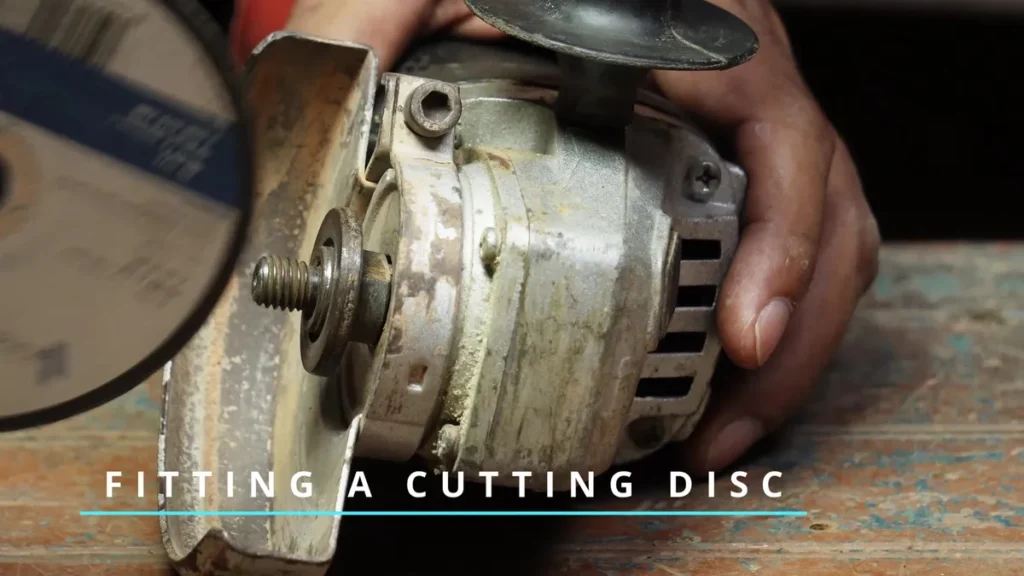
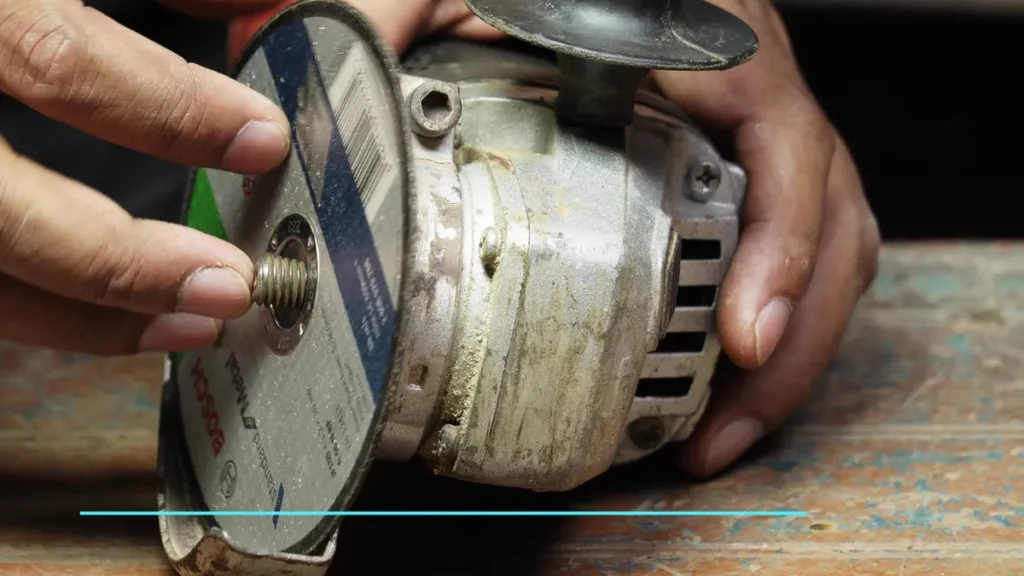
- Place the cutting disc onto the spindle — it sits on the raised hub of the inner flange.
- Place the flange nut on with the flat side facing down toward the disc.
- Thread it on by hand first.
- Press the spindle lock, then tighten with the pin wrench — firm pressure; don’t overtighten.
- Do a wobble test: grab the disc and try to move it. No movement at all means you’re done. If it moves, tighten slightly and test again.
Cutting disc orientation: cutting discs are symmetrical — either face can go up. No need to think about it.
How to Fit a Grinding Disc
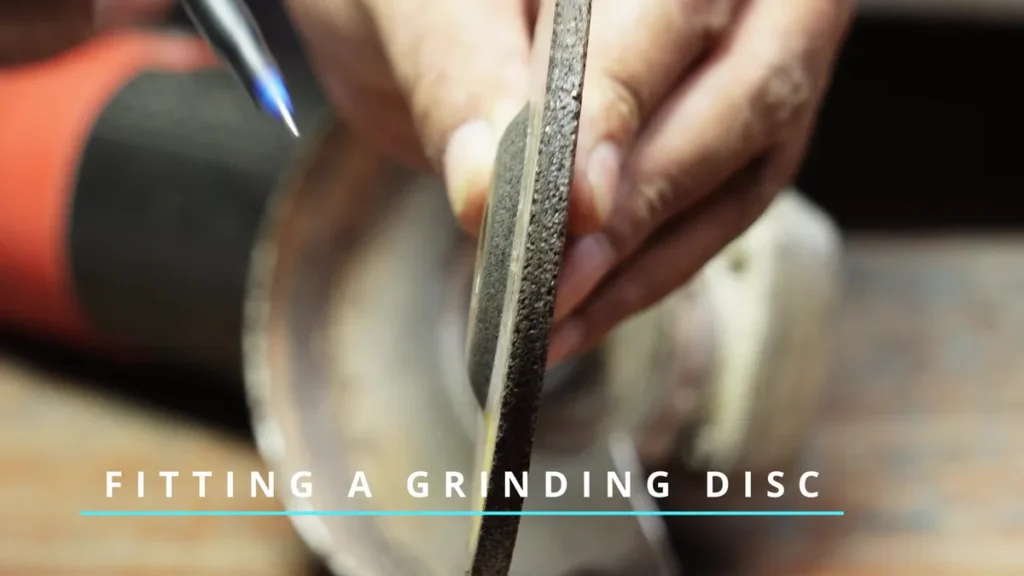
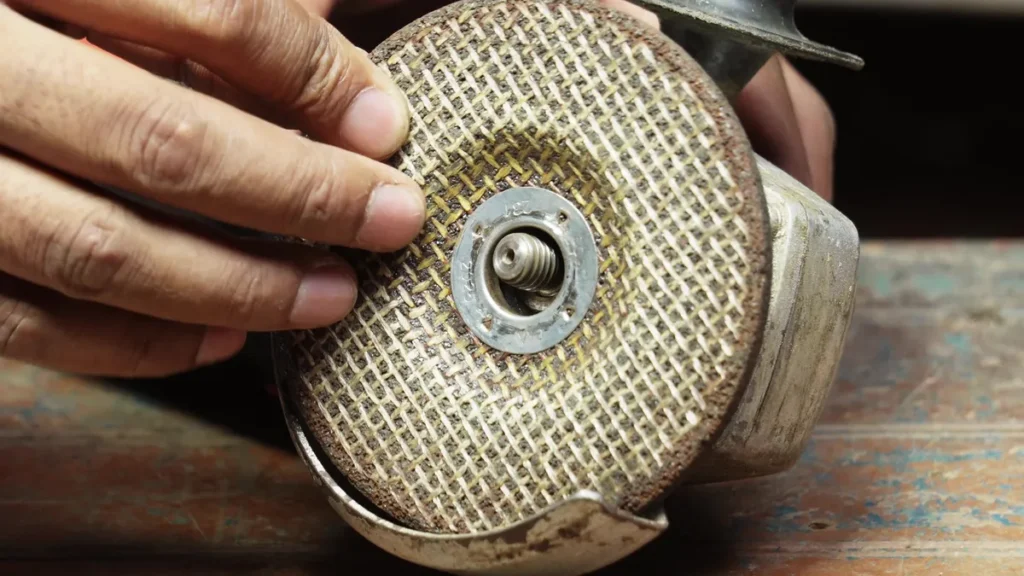
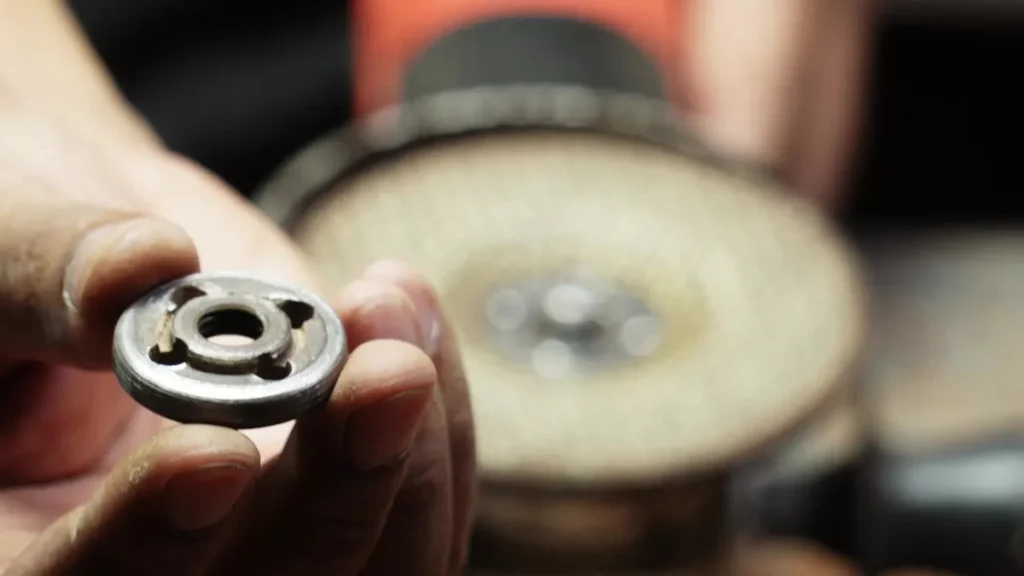
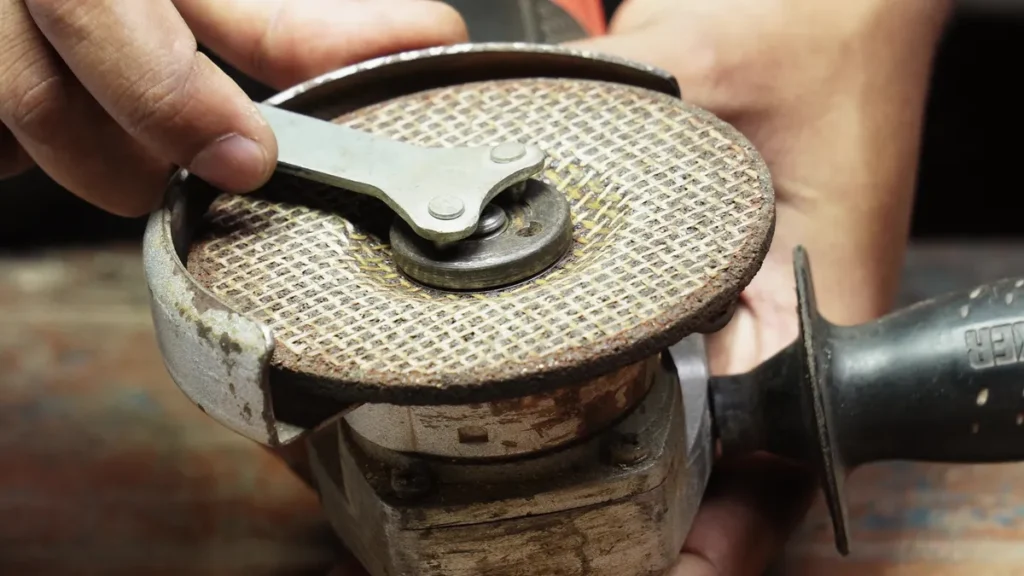
- The grinding disc is not symmetrical — its cup side faces down toward the grinder. Fitted wrong, it won’t sit flat, and you’ll feel it immediately.
- Place the flange nut on with the raised hub facing down into the disc’s center hole — the reverse of a cutting disc.
- Thread by hand, press the spindle lock, and tighten with the wrench.
- Do the wobble test, then spin the disc by hand before plugging in — it should rotate smoothly with no wobble.
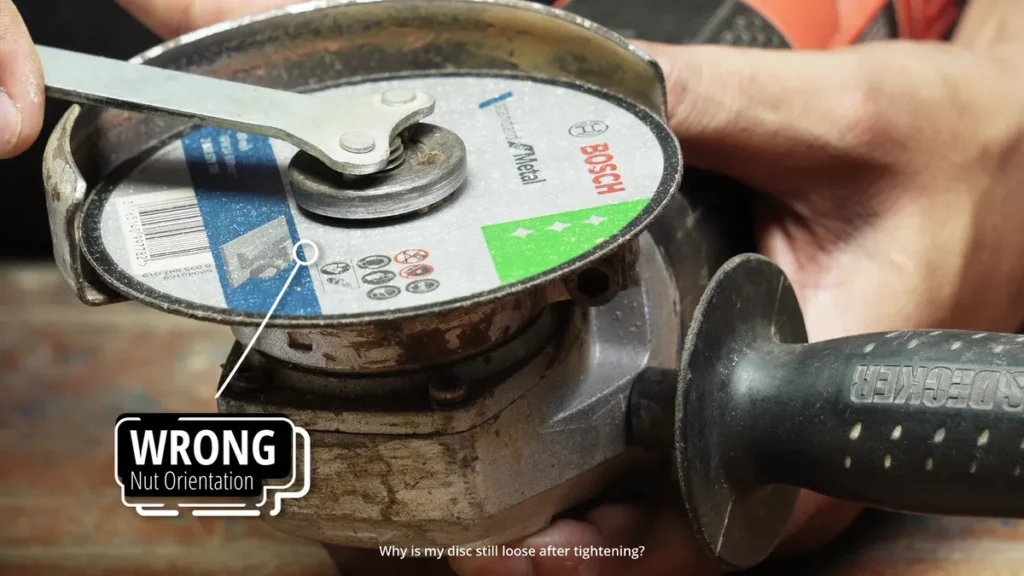
Wrong nut orientation is the most common reason a disc stays loose, no matter how hard you tighten. If it won’t clamp, check which face of the flange nut is facing down before anything else.
How to Remove a Disc
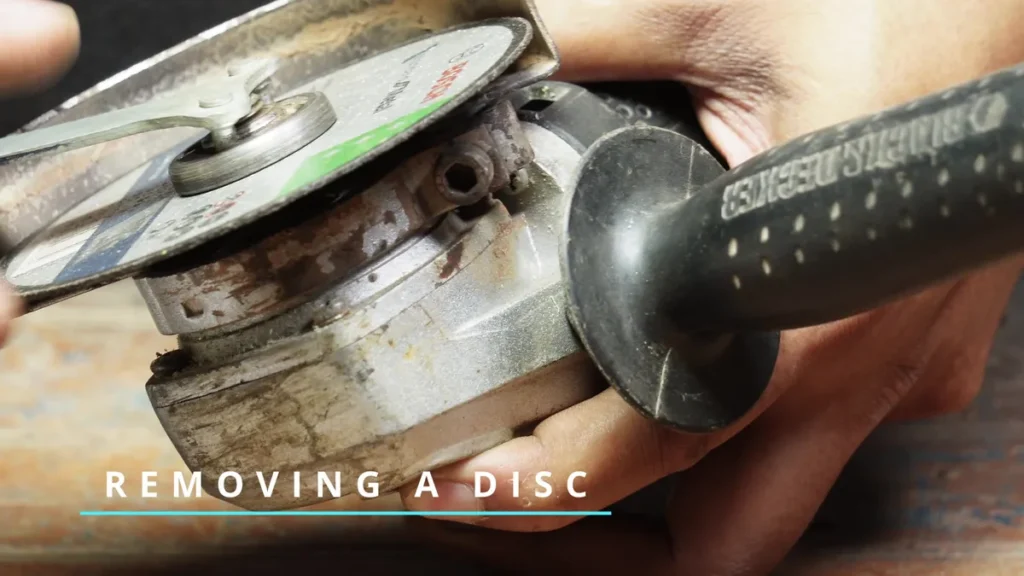
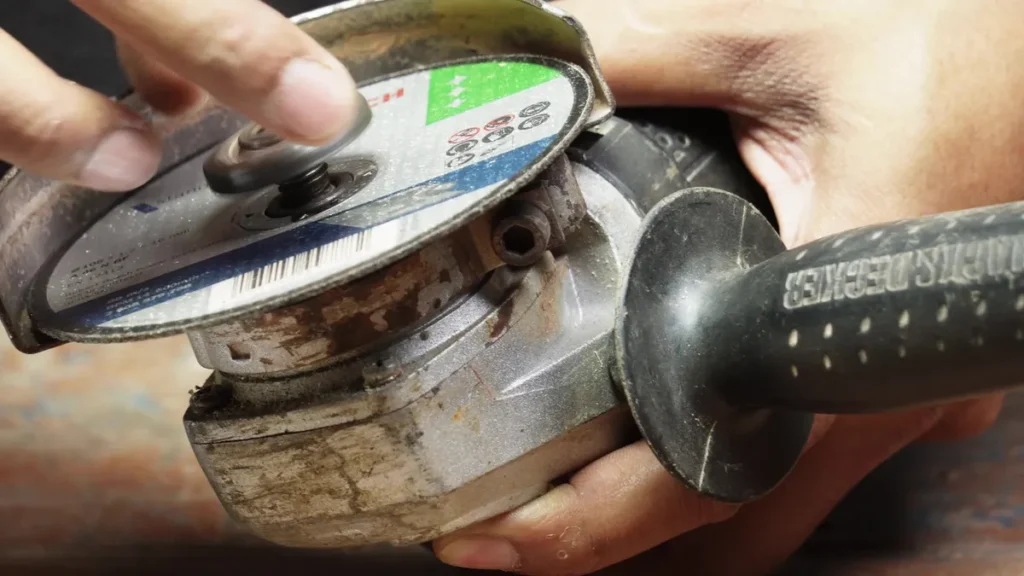
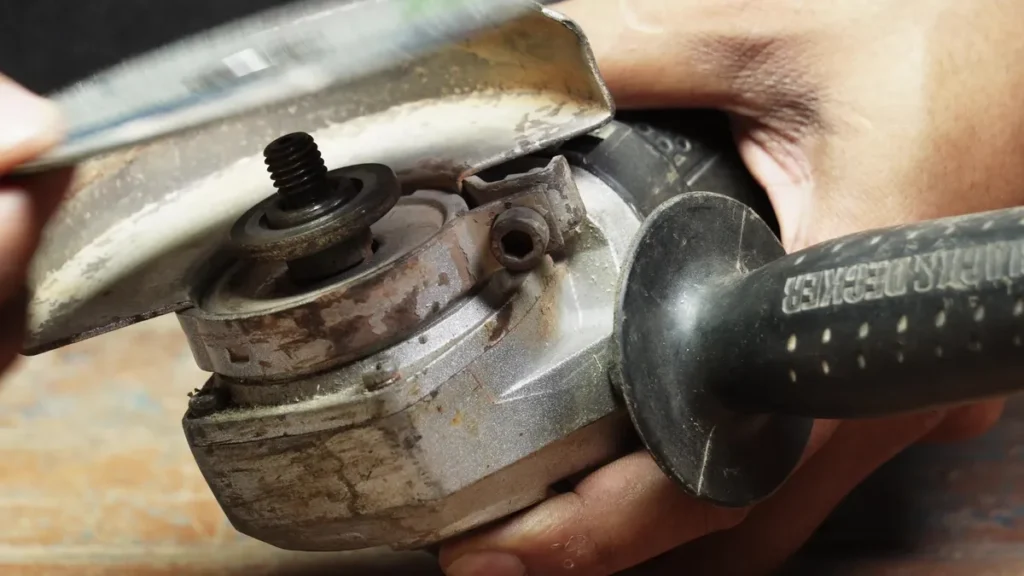
- Press the spindle lock.
- Insert the pin wrench and loosen the nut counterclockwise.
- Unscrew by hand and lift the disc off.
Nut stuck and won’t budge? Always turn counterclockwise to loosen — same as any standard nut. If it truly won’t move, a gentle tap with a hammer on the pin wrench can break it free. Don’t switch direction and try clockwise — that tightens it further and makes it worse.
Angle Grinder Disc Questions People Actually Ask
Which way does the nut turn?
Clockwise to tighten, counterclockwise to loosen — same as any standard nut, always. If it feels awkward either way, check that the spindle lock is fully engaged before turning.
Which way does the disc face?
Cutting disc — either way, it’s symmetrical. Grinding disc — cup faces down toward the grinder. You’ll know immediately if it’s wrong because it won’t sit flat.
How do I know if I’ve tightened it enough?
Firm is enough. Overtightening stresses the disc for no benefit. Do the wobble test — if the disc doesn’t move at all, you’re done.
Why is my disc still loose after tightening?
Almost always the wrong flange nut orientation. A cutting disc needs the flat side down; a grinding disc needs the raised hub down. The wrong way around, and it won’t clamp no matter how hard you go. If the orientation is correct, check for cross-threading — back the nut off, start it by hand again, and make sure it catches cleanly before using the wrench.
The tool for this job


Last update on 2026-10-20 / Affiliate links / Images from Amazon Product Advertising API
Now that you know how to fit the disc correctly, the full beginner’s guide covers everything else — disc types, safety rules, and cutting and grinding technique.